Introduction
Security has become one of the most important concerns for homeowners, businesses, and organizations around the world. Traditional locks and basic alarm systems are no longer enough to protect valuable assets from modern threats. As technology continues to evolve, smart security solutions have emerged as a powerful way to improve safety, monitoring, and control. These advanced systems combine internet-connected devices, automation, artificial intelligence, and real-time monitoring to create a more secure environment.
Smart security solutions are designed to provide users with greater visibility and control over their properties. Whether you want to monitor your home while traveling, receive instant alerts about suspicious activity, or automate security processes, smart technologies make these tasks easier than ever. From smart cameras and motion detectors to intelligent door locks and remote monitoring systems, the possibilities are expanding rapidly.
For beginners, understanding smart security solutions can seem overwhelming because of the variety of available devices and technologies. However, learning the fundamentals can help you make informed decisions and choose the right security system for your needs. This guide explains everything you need to know about smart security solutions, including their importance, setup process, benefits, risks, common mistakes, frequently asked questions, and expert recommendations. By the end of this article, you will have a clear understanding of how smart security solutions work and how they can help protect your property more effectively.
What is Smart Security Solutions?
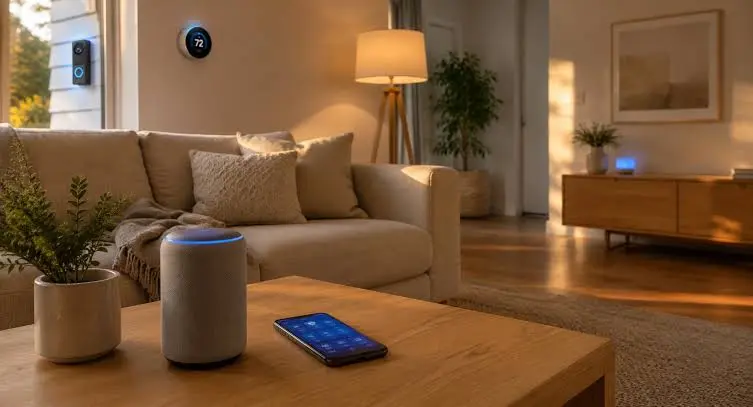
Smart security solutions refer to technology-driven security systems that use connected devices, sensors, software, and automation to monitor and protect homes, businesses, and other properties. Unlike traditional security systems that operate independently, smart security systems connect to the internet and allow remote management through smartphones, tablets, or computers.
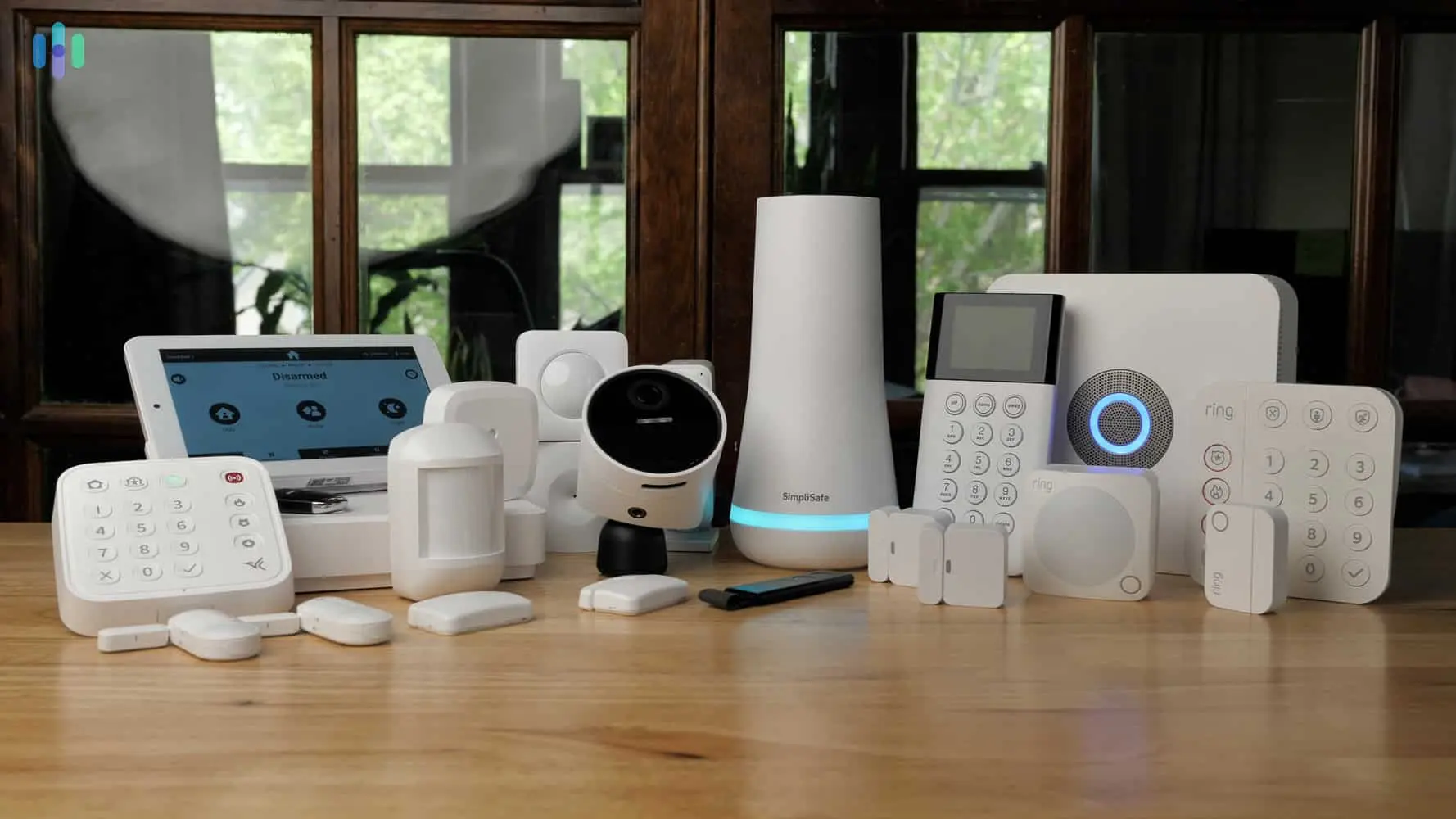
These systems often include devices such as smart cameras, video doorbells, smart locks, motion detectors, intrusion alarms, environmental sensors, and centralized control platforms. Users can receive instant notifications, view live video feeds, control access remotely, and automate security responses based on predefined rules.
The primary goal of smart security solutions is to improve safety while providing convenience and flexibility. By integrating modern technologies such as cloud computing, artificial intelligence, machine learning, and Internet of Things (IoT) devices, these systems can identify potential threats more accurately and respond faster than traditional security setups. As a result, they have become increasingly popular among homeowners and businesses seeking advanced protection.
Why is Smart Security Solutions Important?

Security threats continue to evolve, making it essential to adopt more advanced protection methods. Smart security solutions provide a proactive approach to security by enabling continuous monitoring and real-time response capabilities. Instead of discovering incidents after they occur, users can take immediate action when suspicious activity is detected.
One major reason smart security solutions are important is their ability to provide remote access and monitoring. Property owners can check security camera feeds, lock doors, or receive alerts from virtually anywhere. This capability is especially valuable for frequent travelers, business owners managing multiple locations, and families concerned about home safety.
Another important factor is automation. Smart security systems can automatically activate alarms, turn on lights, lock doors, or notify emergency contacts when certain events occur. These automated responses help reduce human error and improve overall security effectiveness. Furthermore, many insurance companies recognize the value of advanced security systems and may offer discounts for properties equipped with modern security technologies.
Detailed Step-by-Step Guide
Step 1: Assess Your Security Needs
Before purchasing any security equipment, identify your specific security concerns. Consider factors such as property size, entry points, neighborhood crime rates, and valuable assets that require protection.
Conduct a security assessment by examining vulnerable areas around your property. Determine whether you need surveillance cameras, access control systems, alarm monitoring, or environmental sensors. Understanding your requirements helps prevent unnecessary expenses and ensures effective protection.
Step 2: Create a Security Plan
Develop a comprehensive security strategy that outlines your goals and priorities. Decide which areas require monitoring and what level of protection is necessary.
Consider both indoor and outdoor security needs. A well-designed plan should include access control, surveillance, intrusion detection, emergency response procedures, and cybersecurity measures to protect connected devices.
Step 3: Choose Smart Security Devices
Select devices that align with your security objectives. Popular options include:
Smart Cameras
Smart cameras provide live video streaming, motion detection, night vision, and cloud storage. They help monitor activity and record incidents for later review.
Video Doorbells
Video doorbells allow users to see, hear, and communicate with visitors remotely. They also record footage and provide motion-triggered alerts.
Smart Locks
Smart locks eliminate the need for traditional keys and enable remote access control. Users can grant temporary access permissions and monitor entry activity.
Motion Sensors
Motion detectors identify movement within specific areas and trigger alerts or automated actions when activity is detected.
Smart Alarms
Smart alarm systems provide immediate notifications and can integrate with other security devices to create a comprehensive protection network.
Step 4: Ensure Reliable Internet Connectivity
Most smart security solutions rely on internet connectivity for communication and remote access. Ensure your property has a stable and secure internet connection.
Consider upgrading your network infrastructure if necessary. A strong Wi-Fi signal helps prevent connectivity issues and ensures reliable device performance.
Step 5: Install Devices Properly
Proper installation is critical for maximizing security effectiveness. Position cameras to cover entry points, driveways, and vulnerable areas.
Avoid placing devices where obstacles may block their view or reduce sensor accuracy. Follow manufacturer recommendations for mounting locations and installation procedures.
Step 6: Configure Security Settings
After installation, configure each device according to your security preferences. Set notification rules, recording schedules, access permissions, and automation triggers.
Use strong passwords and enable multi-factor authentication whenever available. Proper configuration helps prevent unauthorized access and improves system reliability.
Step 7: Integrate Devices into a Central Platform
Many smart security devices can connect to a centralized management platform. Integration allows users to control multiple devices through a single application.
A unified platform simplifies monitoring, automation, and system management while providing a more seamless user experience.
Step 8: Test the Entire System
Perform comprehensive testing to ensure all components function correctly. Verify camera feeds, sensor responses, notification delivery, and automation routines.
Regular testing helps identify issues before they affect security performance and ensures your system remains dependable.
Step 9: Establish Monitoring Procedures
Create a routine for reviewing alerts, checking system status, and monitoring recorded footage. Consistent oversight improves security awareness and helps identify unusual activity quickly.
Determine who will receive notifications and what actions should be taken during emergencies or security incidents.
Step 10: Maintain and Update the System
Smart security systems require ongoing maintenance. Regularly update device firmware, inspect hardware, replace batteries, and review security settings.
Continuous maintenance helps protect against emerging threats and ensures optimal system performance over time.
Benefits of Smart Security Solutions
- Real-time monitoring from anywhere
- Remote access through mobile applications
- Instant alerts and notifications
- Improved protection against theft and intrusion
- Enhanced visibility of property activity
- Automated security responses
- Reduced reliance on physical keys
- Better evidence collection through video recordings
- Integration with smart home systems
- Increased convenience and flexibility
- Improved emergency response times
- Potential insurance premium reductions
- Scalable security infrastructure
- Enhanced access management
- Better overall peace of mind
Disadvantages / Risks
- Initial setup costs can be high
- Dependence on internet connectivity
- Potential cybersecurity vulnerabilities
- Data privacy concerns
- Device compatibility issues
- Ongoing maintenance requirements
- Risk of false alarms
- Cloud storage subscription expenses
- Battery replacement needs
- Technical learning curve for beginners
- System failures during power outages
- Potential hacking attempts
- Software bugs and performance issues
- Reliance on third-party service providers
Common Mistakes to Avoid
One common mistake is purchasing security devices without conducting a proper security assessment. Many users buy equipment based on popularity rather than actual needs, leading to incomplete protection or unnecessary expenses. A thorough evaluation helps ensure every critical area receives appropriate coverage.
Another frequent error is neglecting cybersecurity practices. Weak passwords, outdated firmware, and unsecured networks can expose smart security systems to cyber threats. Users should prioritize strong authentication methods and regular software updates.
Improper camera placement is another issue that reduces system effectiveness. Cameras positioned incorrectly may leave blind spots or fail to capture important activity. Strategic placement is essential for comprehensive monitoring.
Many users also ignore regular system maintenance. Failing to replace batteries, update software, or test devices can result in security gaps. Consistent maintenance ensures reliable operation and long-term performance.
Finally, some property owners rely entirely on technology without implementing basic physical security measures. Smart security solutions should complement traditional security practices rather than replace them completely.
FAQs
1. What are smart security solutions?
Smart security solutions are internet-connected security systems that use advanced technologies such as cameras, sensors, alarms, and automation to protect homes and businesses while allowing remote monitoring and control.
2. Are smart security systems suitable for beginners?
Yes. Most modern systems are designed with user-friendly applications and simple setup processes. Beginners can start with basic devices and gradually expand their security infrastructure as needed.
3. Do smart security systems require internet access?
Most smart security features depend on internet connectivity for remote monitoring, notifications, and cloud storage. However, some devices continue performing basic functions even when internet access is temporarily unavailable.
4. Can smart security systems prevent crime?
While no security system can guarantee complete crime prevention, smart security solutions significantly reduce risks by deterring intruders, providing surveillance, and enabling rapid responses to suspicious activity.
5. How much do smart security solutions cost?
Costs vary depending on system complexity, device quantity, installation requirements, and subscription services. Basic systems may be affordable, while advanced solutions can require larger investments.
6. Are smart security systems safe from hackers?
Most reputable systems include security features such as encryption and multi-factor authentication. Users can improve protection by using strong passwords, enabling security features, and keeping software updated.
7. Can smart security devices work together?
Yes. Many devices are designed to integrate with centralized platforms, allowing users to manage cameras, locks, sensors, and alarms through a single interface.
8. How often should security systems be maintained?
Regular maintenance should occur throughout the year. Users should inspect devices monthly, test functionality periodically, and install software updates whenever they become available.
Expert Tips & Bonus Points
Start with essential security devices before investing in advanced features. This approach allows you to learn the system gradually while managing costs effectively.
Use multi-factor authentication for all security-related accounts. Adding an extra layer of verification significantly improves protection against unauthorized access.
Position cameras strategically to cover entrances, driveways, garages, and high-value areas. Proper placement maximizes surveillance effectiveness and reduces blind spots.
Create customized automation rules that match your lifestyle and security needs. For example, doors can lock automatically at night while outdoor lights activate when motion is detected.
Maintain backup power solutions whenever possible. Battery backups and uninterruptible power supplies help keep critical security devices operational during power outages.
Review security logs and alerts regularly. Consistent monitoring helps identify unusual patterns and allows quick responses to potential threats.
Separate smart security devices from other household devices using dedicated network segments when possible. This practice enhances cybersecurity and limits exposure to potential attacks.
Educate family members and authorized users about system operation, emergency procedures, and security best practices to ensure everyone contributes to maintaining a secure environment.
Conclusion
Smart security solutions represent a major advancement in modern safety and protection. By combining intelligent devices, internet connectivity, automation, and real-time monitoring, these systems provide a more effective and convenient approach to securing homes and businesses. Unlike traditional security methods, smart technologies allow users to monitor activity remotely, receive instant alerts, and respond quickly to potential threats.
For beginners, adopting smart security solutions may initially seem complex, but understanding the basic concepts makes the process much easier. Starting with a clear security assessment, selecting appropriate devices, ensuring proper installation, and maintaining strong cybersecurity practices can significantly improve overall protection. As technology continues to evolve, smart security systems are becoming more accessible, reliable, and capable of addressing a wide range of security challenges.
While these systems offer numerous benefits, it is important to recognize potential risks such as cybersecurity concerns, connectivity dependence, and maintenance requirements. By following best practices and avoiding common mistakes, users can maximize the effectiveness of their security investments. Whether protecting a family home, small business, or large organization, smart security solutions provide valuable tools for enhancing safety, reducing risks, and achieving greater peace of mind in an increasingly connected world.